Introduction
This reference describes Aqueduct’s built-in nodes. Each page includes the node’s parameters, ranges, default values, and an interactive example graph.
Generators
- Anisotropic Noise
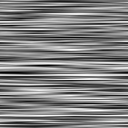 Bands of offset grayscale segments with optional blending.
- Black and White Spots
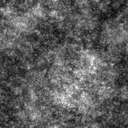 Layered spot populations with independent strengths, sizes and background.
- Cell Distance
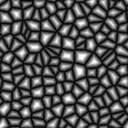 Distance from each point to the nearest Voronoi wall.
- Cell ID
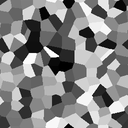 Stable random grayscale value for each Voronoi cell.
- Cell Walls
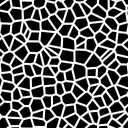 Voronoi cells with evenly sized walls.
- Clouds
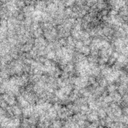 Layered cloud deposits and dark ridges with adjustable broad structure.
- Directional Noise
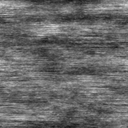 Noise with adjustable striation structure.
- Directional Scratches
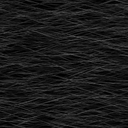 Adjustable scratches along a direction, with normal output for fine detail.
- Ellipse
 Elliptical mask with adjustable size and rotation.
- Fractal Sum
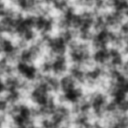 Layered noise with several configurable fractal patterns.
- Gaussian
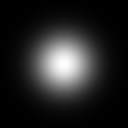 Soft circular gradient with a smooth falloff.
- Gaussian Spots
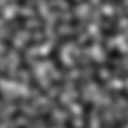 Randomly distributed Gaussian spots with loopable disorder motion.
- Linear Gradient
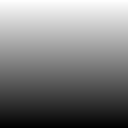 Directional gradient with adjustable shape and repetition.
- Perlin Noise
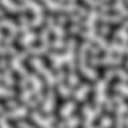 Smooth, filtered Perlin noise.
- Pyramid
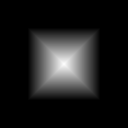 Faceted polygonal height field.
- Radial Gradient
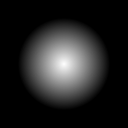 Radial gradient that fades outward from the center.
- Rectangle
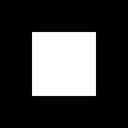 Rectangular mask with optional rotation and rounded corners.
- Regular Polygon
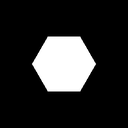 Regular polygon mask with a configurable number of sides.
- Simplex Noise
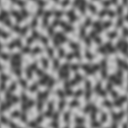 Smooth simplex noise without axis-aligned bias.
- Tile Pattern
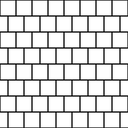 Tile, brick, parquet, hexagonal, and fish-scale patterns.
- Uniform Color
 Solid color or grayscale texture.
Filters
- Ambient Occlusion (GTAO)
 Creates ambient occlusion from a height map.
- Auto Levels Expands input values to fill the full black-to-white range.
- Bevel Creates a beveled height transition around connected shapes.
- Blur Softens a texture with an adjustable Gaussian blur.
- Curvature Creates a signed curvature map from a normal map.
- Curve Remaps grayscale and color values with editable cubic Bezier curves.
- Distance Creates a distance fade from a mask or expands its colors outward.
- Edge Detect Creates a precise edge mask with adjustable width.
- Flood Fill to Bounding Box Size Measures the width, height, or area of each connected region.
- Flood Fill to Gradient Fills each connected region with a directional gradient.
- Flood Fill to Position Colors each connected region by its center position.
- Flood Fill to Random Color Assigns a stable random color to each connected region.
- Flood Fill to Random Grayscale Assigns a stable random grayscale value to each connected region.
- Gradient Map Colors grayscale input using a custom color gradient.
- Gradient Map from Texture Colors grayscale input using a gradient texture.
- Histogram Scan Creates a mask by adjusting a threshold and its contrast.
- Histogram Select Selects a mask around a chosen input brightness.
- HSL Adjusts hue, saturation, and lightness.
- Invert Inverts the red, green, and blue channels while preserving alpha.
- Levels Adjusts input, midtone, and output ranges.
- Light Creates a directional grayscale mask from a normal map.
- Normal Blend Blends two tangent-space normal maps with adjustable opacity.
- Normal Vector Rotation Rotates a normal map with a fixed angle or rotation map.
- Pre-multiplied to Straight Divides RGB by alpha; zero alpha gives white RGB. Preserves alpha.
- RGBA Merge Combines red, green, blue, and alpha inputs into one texture.
- RGBA Split Splits a texture into separate red, green, blue, and alpha outputs.
- Slope Blur Blurs a texture along directions supplied by a slope map.
- Straight to Pre-multiplied Multiplies RGB by alpha while preserving alpha.
- Threshold Creates a hard mask by comparing input brightness with a threshold.
Transforms
- Auto Crop
 Fits or stretches detected content to the canvas.
- Cartesian To Polar Wraps a rectangular image around the center using angle and radius.
- Directional Warp Warps a texture in one direction using an intensity map.
- Mirror Reflects one side or corner of a texture to create symmetry.
- Multi Directional Warp Warps a texture in several directions at once.
- Non-Uniform Directional Warp Warps a texture using direction and intensity maps.
- Polar to Cartesian Unwraps a circular image into angle and radius coordinates.
- Swirl Twists a texture around an adjustable center.
- Tile Seam Blend Blends a texture with offset copies to smooth seams between tiles.
- Tiling-safe Transform 2D Transforms a texture while preserving seamless tiling.
- Transform 2D Offsets, scales, rotates, and filters a texture.
- Trapezoid Transform Stretches or narrows the top and bottom of a texture.
- Vector Warp Warps a texture using two-channel displacement vectors.
- Warp Distorts a texture using the slope of a grayscale input.
Utilities
- Blend
 Combines two textures using a selectable blend mode and opacity.
- Circular Scatter Scatters input patterns around rings, arcs, and spirals.
- Flood Fill Identifies connected regions for use by Flood Fill filters.
- Height Blend Blends two height maps and outputs the height and foreground coverage mask.
- Normal Creates a normal map from a height map.
- Scatter Scatters input patterns organically or across a configurable grid.